
Home Care Software UK: The 2026 Buyer's Guide for Care Providers
How to choose home care software in the UK. Must-have features, CQC and DSCR compliance, pricing, demo questions and switching tips for care providers.


Introduction
The right home care software gives your office back hours every week, keeps you inspection-ready and lets carers focus on people rather than paperwork. The wrong one locks you into a long contract with a system your team quietly works around.
If you run a domiciliary care agency in the UK, you have probably felt the pressure: rotas rebuilt at 7am because someone called in sick, MAR charts checked by hand, invoices pieced together from timesheets, and a CQC inspection that could land any week.
This guide walks you through how to choose home care software in 2026. You will learn what the software should do, which features matter most, what compliance boxes it must tick, how pricing usually works, and the questions to ask in every demo. It is written by a team that ran a care service for 30 years before building software, so it is grounded in how care actually runs day to day.
What is home care software?
Home care software (also called domiciliary care software or care management software) is a digital system that runs the core operations of a home care agency in one place. It replaces paper care plans, spreadsheet rotas, paper MAR charts and manual invoicing.
A good system connects three groups of people:
- The office team, who plan rotas, monitor visits, manage staff and send invoices.
- Carers in the field, who use a mobile app to see their visits, read care plans, record notes and complete medication records.
- Clients and families, who can see visit times and care updates, depending on what the provider chooses to share.
The biggest benefit is that information is entered once and flows everywhere. A carer clocking in on their phone updates the live monitoring screen, the timesheet, the payroll run and the client's invoice, with no re-keying.
7 signs your agency has outgrown paper and spreadsheets
Most providers switch when the admin starts to cost them clients, staff or sleep. If three or more of these sound familiar, it is time to look at software.
- Rotas take hours to build and fall apart with one sick call.
- You only find out a visit was missed when the family phones.
- Care plan updates reach carers days late, or not at all.
- MAR chart errors are spotted at audit rather than on the day.
- Invoicing and payroll mean cross-checking timesheets line by line.
- Preparing for a CQC inspection means a week of hunting through folders.
- Your office team spends more time chasing paperwork than supporting carers.
Must-have features in home care software
The best home care software covers the full journey of a visit, from planning to payment, in one platform. Use this checklist when comparing systems.
- Rostering: Drag-and-drop rotas, travel time, carer matching, open shifts carers can claim from their phone. Cuts rota time and fills gaps fast.
- Electronic call monitoring: GPS or NFC clock in and out, live visit dashboard, late and missed visit alerts. Spots problems before the family does.
- Care planning: Person-centred plans, risk assessments, preferences, version history. Carers always work from the latest plan.
- eMAR: Digital medication records, PRN tracking, alerts for missed or late doses. Reduces medication errors.
- Carer mobile app: Visit list, care plan, notes, tasks, SOS for lone workers. Everything the carer needs on one screen.
- Family and client access: Visit times and care updates for approved family members. Builds trust and cuts phone calls.
- HR and recruitment: Applicant tracking, documents, training matrix, leave. Gets carers into the field faster.
- Invoicing and payroll: Delivered visits turn into invoices and timesheets automatically. Ends re-keying and billing disputes.
- Reporting: Custom reports, audits, incident logs. Evidence for CQC and local authorities.
Nice-to-have features worth asking about
- AI tools that summarise care notes or draft care plans, with your team staying in control.
- GP Connect, so CQC-registered providers can view GP records securely.
- Geo-fencing to confirm carers are at the right address.
- Accounting integrations with your existing finance software.
Compliance: what UK home care software must support
In the UK, your software is part of your compliance evidence, so check these five areas before you sign anything.
CQC inspections. Inspectors want clear evidence that care is safe, effective and person-centred. Your system should let you pull care plans, visit records, medication records, incidents and audits in minutes, not days.
Digital social care records (DSCR). The NHS and Department of Health and Social Care are pushing providers to move from paper to digital records. Choosing a supplier on the NHS Assured Solutions list for adult social care gives you confidence the system meets national standards.
Data security and UK GDPR. You are handling sensitive health data. Look for ISO 27001 certification, Cyber Essentials and UK-hosted, encrypted data. Ask who can see what, and how access is logged.
GP Connect. Access to GP records, appointments and prescribing information helps carers deliver safer care. Check the supplier is connected and whether your service is eligible.
Local authority requirements. Many councils require electronic call monitoring and specific invoicing formats. Make sure the system can produce what your commissioners ask for.
How much does home care software cost?
Most UK home care software is priced per month, usually based on the number of clients, carers or active service users. The headline price is only part of the story, so compare the total cost over two to three years.
Watch for these hidden costs:
- Set-up and onboarding fees for data migration and training.
- Add-on modules, where eMAR, payroll or the family app cost extra.
- Hardware, such as NFC tags or devices for carers.
- Long minimum contracts of 12, 24 or 36 months that make it costly to leave if the system does not work out.
- Price rises at renewal.
The safest option for most agencies is a provider with a simple monthly price, core features included, and no long-term contract. If the software is good, you will stay anyway.
To judge value, estimate the hours your office spends each week on rotas, invoicing, payroll and chasing records. Multiply by your hourly staff cost. Most providers find the time saved covers the subscription quickly.
12 questions to ask in a home care software demo
A demo should show the software running your service, not a generic sales script. Bring these questions and ask the supplier to show, not tell.
- Can you build a week's rota for a service like ours, live, in the demo?
- What happens on screen when a carer is late or misses a visit?
- How does a carer pick up an open or emergency visit?
- How quickly does a care plan change reach the carer's app?
- Show me an eMAR record, including a PRN dose and a missed dose alert.
- How do delivered visits turn into invoices and payroll?
- What reports would I hand a CQC inspector?
- Are you on the NHS Assured Solutions list, and are you ISO 27001 certified?
- Does the app work without a mobile signal?
- What is included in the price, and what costs extra?
- How long is the contract, and what is the notice period?
- Who helps us move our data, and how long does onboarding take?
Also ask who built the product. Software designed by people who have run a care service tends to fit real workflows far better.
How to switch home care software without disrupting care
Switching feels risky, but a planned move rarely affects clients. Follow these five steps.
- Pick a quiet go-live date. Avoid bank holidays, inspection windows and the end of a payroll period.
- Clean your data first. Archive old clients and staff so you migrate only what you need.
- Train office staff before carers. The office then becomes the first line of support for the field team.
- Run a short overlap. Keep your old system read-only for a few weeks in case you need to look something up.
- Choose champions. One or two confident carers who help colleagues get used to the app will speed up adoption more than any manual.
Why care providers choose Careberry
Careberry is all-in-one care management software built by a care provider, for care providers. Our team ran a care service for 30 years before building the platform, so every feature solves a problem we faced ourselves.
- Rostering with Click to Care: carers see open visits on their phone and claim them with one tap.
- Live call monitoring with GPS and NFC clock in and instant SOS for lone workers.
- Person-centred care planning and eMAR with alerts for missed or late doses.
- Zero-click invoicing and payroll: delivered visits become invoices and timesheets automatically.
- Integrated recruitment and training matrix.
- Careberry AI for care note summaries, policy answers and care plan drafts.
- Trusted and compliant: NHS Assured Supplier, ISO 27001 certified, GP Connect and built to UK GDPR standards.
- No long-term contracts: one simple monthly price.
Careberry supports home care, care homes, complex care, supported living and live-in care across the UK.
Ready to see it for your service? Book a free, no-obligation demo or call 0330 880 1090 to talk to someone who has run a care service.
Frequently asked questions
What is the best home care software in the UK?
The best home care software is the one that fits how your service runs. Look for rostering, call monitoring, care planning, eMAR, invoicing and payroll in one system, NHS Assured status, ISO 27001 certification and no long-term contract.
What is the difference between home care software and domiciliary care software?
There is no real difference. Both terms describe software that helps agencies deliver care in people's own homes. "Domiciliary care" is the more formal UK term.
Is home care software required by CQC?
CQC does not require a specific system, but it expects accurate, up-to-date records. Digital systems make it much easier to evidence safe, person-centred care during an inspection.
How long does it take to set up home care software?
Most agencies can be up and running within a few weeks, depending on the size of the service and how much data needs moving.
Can small home care agencies afford care management software?
Yes. Monthly pricing based on service size makes it affordable for small and start-up agencies, and the admin time saved often covers the cost.
Do carers need training to use the app?
A well-designed carer app should feel as simple as any phone app. Most carers are confident after a short session.
Join our newsletter for updates, tips and insights.
Keep reading
View all articles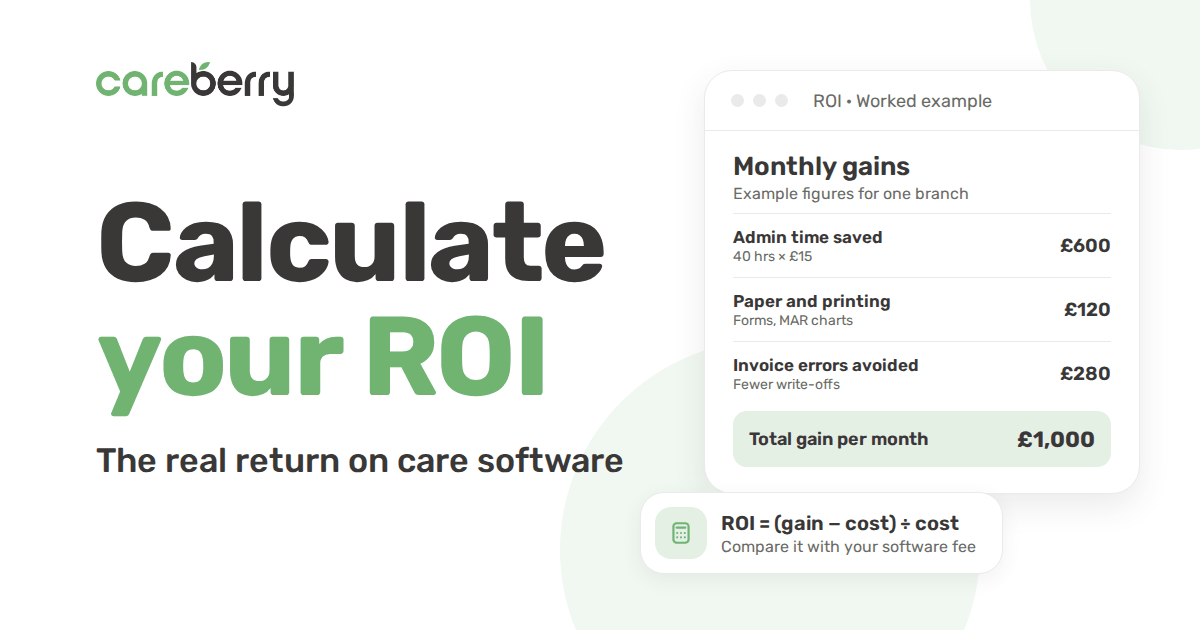

Free demo
See how Careberry works for your service
Book a free, no-obligation demo with a team who has run care services. We will show you Careberry set up the way you deliver care.
What happens next
- 1Tell us about your serviceFill in a short form, or call us, and we will arrange a time that suits you.
- 2See it for your type of careA walkthrough built around your service, from rotas to care plans and eMAR.
- 3Get clear pricingSimple monthly pricing for your service, with no long-term contract.