
Digital Care Planning Software for Home Care: The 2026 UK Guide
How to choose digital care planning software for UK home care. Must-have features, CQC and DSCR compliance, pricing, demo questions and a safe switch plan.

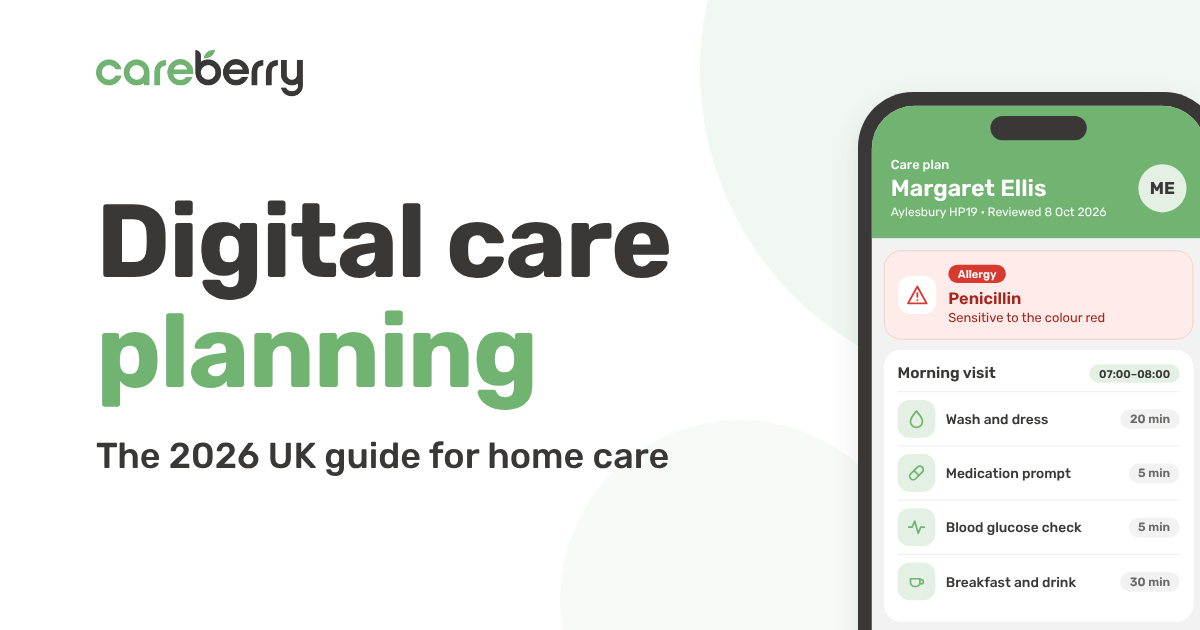
Quick answer: The best digital care planning software for a UK home care agency puts each person's current care plan and risk assessments on the carer's phone, links them to daily records and reviews, and sits on NHS England's assured solutions list. Check it also covers what a basic record may not, such as rostering and eMAR, and compare total cost over two to three years, not just the monthly price.
Introduction
In home care, a care plan only works if the carer has the latest version in their hand at the front door. The right digital care planning software puts that plan in every carer's pocket, keeps you inspection-ready and ends the hunt for the right version of a document. The wrong one becomes a clunky form-filler that your team quietly works around.
If you run a domiciliary care agency in the UK, you have probably lived it: a plan updated in the office on Monday that carers don't see until Thursday, a cover carer walking into a stranger's home with last year's printout, risk assessments buried in a shared drive, and a CQC inspection that could land any week.
This guide walks you through how to choose digital care planning software for a home care agency in 2026. You will learn what it should do, which features matter most, what compliance boxes it must tick, how pricing usually works, and the questions to ask in every demo. It is written from the point of view of a team that ran a care service for 30 years before building software, so it is grounded in how care actually runs day to day.
What is digital care planning software?
Digital care planning software (also called an electronic care plan or digital social care record, DSCR) is a system that holds each person's care plan, risk assessments, preferences and daily records in one secure place. It replaces paper folders, Word templates and scattered spreadsheets. GOV.UK describes DSCRs as software that replaces paper records, and notes they are sometimes called electronic care plans, care records or care management systems.
The same guidance says DSCRs do not normally include rostering or electronic medication administration records (eMAR), although some suppliers offer them in the same platform. For a home care agency, where the plan drives every visit, that link matters. GOV.UK also reports that digital records can free up over 20 minutes per care worker per shift by enabling faster handovers.
Why home care is different. Care planning software built for a care home assumes a building, a shift and a team on site. Home care works differently, and your software should too:
- Carers work alone in the person's own home, often covering for a colleague who has never met them, so the plan must be clear in seconds, at the door.
- Plans are tied to visits with set times and tasks, often agreed with a council or funder, rather than to a day on a unit.
- There is no office down the corridor, so every update, access detail and risk has to travel by phone, sometimes with poor signal.
A good system connects three groups of people:
- The office team, who write and review care plans, run risk assessments and monitor quality.
- Carers in the field, who open the current plan on their phone, follow it during the visit and record what they did.
- Clients and families, who can see agreed updates, depending on what the provider chooses to share.
The biggest benefit is that the plan is written once and used everywhere. When the office changes a care task, the carer's app shows it at the next visit, the daily notes record against it, and the review picks up the evidence, with no re-typing.
7 signs your care plans have outgrown paper and Word templates
Most providers switch when the admin starts to cost them quality, staff or sleep. If three or more of these sound familiar, it is time to look at software.
- Care plan updates reach carers days late, or not at all.
- A cover carer arrives at a first visit without the latest risk assessment, preferences or access details.
- Key safe codes, entry instructions and home risks live on paper or in someone's head.
- There are two or three versions of the same plan, and nobody is sure which is current.
- Reviews are overdue because nobody can see which plans are due.
- Daily notes are handwritten or typed up after the visit, so patterns such as repeated falls or skipped meals are easy to miss.
- Preparing for a CQC inspection means a week of hunting through paper and shared drives.
Must-have features in digital care planning software
The best digital care planning software covers the full life of a care plan, from first assessment to review, and links it to the visit itself. Use this checklist when comparing systems.
- Person-centred care plans: Editable templates, goals, preferences, life history and “what matters to me”. Plans reflect the person, not a generic form.
- Visit-based tasks: Plan tasks appear as a checklist for each visit, matched to the visit length and any commissioned tasks. Carers know what to do in the time they have.
- Access and home details: Key safe, entry instructions, pets, parking and home layout, visible only to carers assigned to that visit. A cover carer can get in and work safely without phoning the office.
- Risk assessments: Falls, moving and handling, skin, nutrition and home environment assessments linked to the plan, plus a lone-worker alert. Risks and controls reach the carer at the door.
- Instant updates: Changes appear in the carer app at the next visit, with an alert for urgent changes. Carers never work from an old plan.
- Offline use: Plans and visit records work with no signal and sync when back online. Rural areas, flats and patchy coverage don't stop care.
- Handover and continuity: Last visit's notes and a plan summary visible at a glance. Different carers still give consistent care.
- Reviews and version history: Review dates, overdue alerts, and every change dated with who made it. No plan quietly goes out of date, and you can show what changed.
- Medication links: Medication details tied to the plan, with eMAR and PRN guidance. Fewer medication errors and one source of truth.
- Observations and incidents: Weight, food and fluid, mood, falls and incident logging, linked to the person's record. Early warning signs are visible, not buried.
- Family and client access: Approved family members see agreed information. Builds trust and cuts phone calls.
- Reporting and audit: Care plan audits, overdue reviews and custom reports. Evidence for CQC and commissioners in minutes.
Nice-to-have features worth asking about
- AI tools that summarise care notes or draft care plans, with a person always reviewing and approving the result.
- GP Connect, so eligible CQC-registered providers can view GP records securely.
- Offline mode, so carers can read plans and record visits where there is no signal.
- Easy-read and multi-language plan views for people and families who need them.
- Integration with rostering, call monitoring, eMAR and invoicing, so the plan connects to the rest of your operation.
Compliance: what UK care planning software must support
In the UK, your care plans are part of your compliance evidence, so check these five areas before you sign anything.
CQC inspections. Inspectors look for care that is safe, effective, caring, responsive and well-led, and for accurate, up-to-date records that show it. Person-centred care (Regulation 9) and good governance (Regulation 17) both depend on records you can trust. Your system should let you pull care plans, risk assessments, daily records, reviews and audits in minutes, not days.
Digital social care records (DSCR) and the NHS Assured Solutions List. NHS England keeps an assured solutions list of digital social care record systems that have been assessed against national standards. GOV.UK says every solution on the list offers essential features such as care planning, recording, reporting and audit trails, and can connect with GP records. Ask any supplier whether they are on the list today and whether they meet the latest data standards, including the Minimum Operational Data Standard (MODS). Funding schemes have varied by area, so ask your integrated care board whether any local support covers assured systems.
Data security and UK GDPR. You are holding sensitive health information. Look for ISO 27001 certification, Cyber Essentials and UK-hosted, encrypted data. Ask who can see what, how access is logged and how the system helps you complete the Data Security and Protection Toolkit (DSPT).
Consent and capacity. Plans should record consent, mental capacity decisions, best-interests decisions and legal authorities such as lasting power of attorney, so carers can see them at the point of care.
Local authority and NHS requirements. Commissioners may ask for specific records, review evidence or reports. Check the system can produce what yours require. To use GP Connect, GOV.UK says you need an assured DSCR that integrates with it, a result showing you have met the Data Security and Protection Toolkit standards, and a signed National Data Sharing Agreement.
How much does digital care planning software cost?
Most UK care planning software is priced per month, usually based on the number of people you support, carers or active users. The headline price is only part of the story, so compare the total cost over two to three years. GOV.UK notes that suppliers usually quote a monthly charge based on staff, core users, clients or bed capacity, plus one-off costs such as training, often on a minimum term of around a year, and that you may be able to negotiate.
Watch for these hidden costs:
- Set-up and onboarding fees for data migration, care plan templates and training.
- Add-on modules, where eMAR, risk assessments, the family portal or reporting cost extra.
- Per-user charges for office staff, which can climb as you grow.
- Devices, if carers need phones or tablets.
- Long minimum contracts of 12, 24 or 36 months that make it costly to leave if the system does not work out.
- Price rises at renewal.
The safest option for most agencies is a provider with a simple monthly price, core features included, and no long-term contract. If the software is good, you will stay anyway.
To judge value, estimate the hours your team spends each month writing, updating and reviewing plans, chasing paper records and preparing audit evidence. Multiply by your hourly staff cost, then add the cost of avoidable errors and late reviews. Most providers find the time saved covers the subscription quickly.
12 questions to ask in a care planning software demo
A demo should show the software running your service, not a generic sales script. Bring these questions and ask the supplier to show, not tell.
- Can you build a care plan for a person with complex needs, live, in the demo?
- A cover carer is sent to a new person at short notice: what do they see on their phone before and at the door?
- How does a plan change reach the carer's app, and how are urgent changes flagged?
- Where are key safe codes and entry instructions stored, and who can see them?
- Does the app work with no signal, and what happens when it reconnects?
- How do commissioned visit times and tasks match the plan, and what happens if they differ?
- Show me a risk assessment linked to the plan and its review date. What happens when a review is overdue?
- Show me a medication record, including a PRN dose, linked to the plan.
- How do you record consent, capacity and best-interests decisions?
- What reports would I hand a CQC inspector or commissioner?
- Are you on the NHS Assured Solutions List, and are you ISO 27001 certified?
- What is included in the price, how long is the contract, and who helps us move our plans across?
Also ask who built the product. Software designed by people who have run a care service tends to fit real workflows far better.
How to move from paper care plans without disrupting care
Switching feels risky, but a planned move rarely affects the people you support. Follow these five steps.
- Start with your highest-risk plans. Move people with complex needs or medication first, so the biggest benefit lands early.
- Rewrite, don't copy. Treat the move as a chance to refresh each plan with the person and their family, rather than typing old paper forms in word for word.
- Train office staff before carers. The office then becomes the first line of support for the field team.
- Run a short overlap. Keep paper copies available for a few weeks, then archive them once every plan is live and checked.
- Choose champions. One or two confident carers who help colleagues get used to the app will speed up adoption more than any manual.
Why care providers choose Careberry
Careberry is all-in-one care management software built by a care provider, for care providers. Our team ran a care service for 30 years before building the platform, so every feature solves a problem we faced ourselves.
For care planning specifically, Careberry gives you:
- Person-centred care planning, with risk assessments, observations and preferences in one record.
- eMAR with alerts for missed or late doses, linked to the person's plan.
- Live call monitoring with GPS and NFC clock in and instant SOS for lone workers, so the plan and the visit sit in the same system.
- Zero-click invoicing and payroll: delivered visits become invoices and timesheets automatically.
- Careberry AI for care note summaries, policy answers and care plan drafts.
- Trusted and compliant: NHS Assured Supplier, ISO 27001 certified, GP Connect and built to UK GDPR standards.
- No long-term contracts: one simple monthly price.
Careberry supports home care, care homes, complex care, supported living and live-in care across the UK.
Ready to see it for your service? Book a free, no-obligation demo or call 0330 880 1090 to talk to someone who has run a care service.
Frequently asked questions
What is the best digital care planning software in the UK?
The best digital care planning software is the one that fits how your service runs. For a home care agency, look for person-centred plans and risk assessments that reach carers instantly, links to daily records, eMAR and rostering, NHS Assured Solutions List status, ISO 27001 certification and no long-term contract.
What is the difference between digital care planning software and a digital social care record (DSCR)?
In practice there is little difference. GOV.UK says DSCRs are sometimes called electronic or digital care plans, care records or care management systems. The real difference is scope: a DSCR does not normally include rostering or eMAR, so check what each product covers.
Is digital care planning a CQC requirement?
No. CQC does not require a specific system, but it expects accurate, up-to-date records. A digital system makes it much easier to evidence safe, person-centred care, and GOV.UK says solutions on the assured list help you comply with CQC's good governance regulations.
How is care planning software for home care different from care home software?
Home care plans are built around visits in a person's own home, not shifts in a building. Look for visit-based tasks, key safe and access details, offline use, instant updates for cover carers, and links to rotas and call monitoring. Many products were first built for care homes, so ask the supplier to demonstrate a home care visit, not a care home resident.
How long does it take to move from paper care plans to digital?
Software set-up often takes a few weeks, but moving every plan depends on how many people you support. GOV.UK recommends a phased rollout and keeping paper backups while the system launches, so start with your highest-risk plans.
Can small home care agencies afford digital care planning software?
Yes. Monthly pricing based on the size of your service makes it affordable for small and start-up agencies, and the admin time saved often covers the cost.
Do carers need training to use a digital care plan app?
A well-designed carer app should feel as simple as any phone app, and most carers are confident after a short session. GOV.UK suggests appointing digital champions to help less confident colleagues.
Can AI write care plans?
AI can draft a care plan or summarise care notes to save time, but a person who knows the individual must review and approve every plan before it is used.
Sources
- Digital social care records: choosing and implementing solutions, Department of Health and Social Care, published 29 September 2026
- NHS England assured solutions list for digital social care records
Join our newsletter for updates, tips and insights.
Keep reading
View all articles

Free demo
See how Careberry works for your service
Book a free, no-obligation demo with a team who has run care services. We will show you Careberry set up the way you deliver care.
What happens next
- 1Tell us about your serviceFill in a short form, or call us, and we will arrange a time that suits you.
- 2See it for your type of careA walkthrough built around your service, from rotas to care plans and eMAR.
- 3Get clear pricingSimple monthly pricing for your service, with no long-term contract.